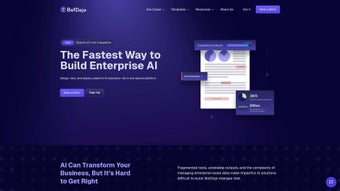

Download BotDojo – Streamlined AI Development, Enterprise‑Grade Templates, Secure Integration
Looking for a fast, secure way to build AI‑powered solutions without juggling dozens of tools? BotDojo delivers an all‑in‑one web platform that lets you design, test, and deploy intelligent applications from a single dashboard. Whether you need a chatbot for customer support, a predictive model for sales forecasting, or a compliance‑checking engine, BotDojo’s drag‑and‑drop workspace and 200+ ready‑made templates cut development time dramatically. Start your free trial today, enjoy seamless CRM integrations, and benefit from enterprise‑level security that keeps your data safe across Windows, macOS, Linux, Android, and iOS browsers.
Overview of BotDojo
BotDojo is a cloud‑native, browser‑based AI development suite designed for both technical teams and business stakeholders. In traditional AI projects, teams often wrestle with fragmented pipelines—data engineers manage ETL tools, data scientists fine‑tune models in notebooks, and developers build custom APIs for deployment. BotDojo consolidates these stages into a visual canvas where users can connect data sources, preprocess information, select models, and launch production workloads without writing extensive code.
The platform’s modular architecture supports a variety of model providers, including OpenAI, Hugging Face, and self‑hosted TensorFlow or PyTorch models, giving organizations the flexibility to adopt the best‑fit technology for each use case. BotDojo also embeds a continuous optimization engine that monitors model drift, alerts teams to performance degradation, and suggests hyper‑parameter adjustments in real time. Security is baked in: all traffic uses TLS 1.3, data at rest is encrypted with AES‑256, and role‑based access control meets GDPR, HIPAA, and SOC 2 standards.
Because BotDojo runs entirely in the browser, there is no client‑side installation, making it instantly accessible on any modern device—from a desktop running Windows 11 to a tablet on iOS 14. This accessibility, combined with a robust integration library for Salesforce, HubSpot, Microsoft Dynamics, and Zapier, empowers enterprises to embed AI directly into existing workflows and accelerate time‑to‑value.
Key Features of BotDojo
BotDojo’s feature set is built around speed, scalability, and governance. The platform’s visual builder reduces the learning curve for non‑technical users while still offering deep customization for data scientists. Below is a curated list of the most impactful capabilities, each designed to help teams deliver AI solutions faster and more securely.
- Drag‑and‑Drop Workspace: Construct end‑to‑end pipelines visually, cutting coding effort by up to 70%.
- 200+ Pre‑Built Templates: Jump‑start projects for chatbots, predictive analytics, compliance checks, lead scoring, and more.
- Integrated Data Preparation: Clean, enrich, and merge data within the platform, eliminating third‑party ETL dependencies.
- Model‑Agnostic Architecture: Switch between OpenAI, Hugging Face, or custom models with a single click.
- Continuous Optimization Engine: Real‑time drift detection, automated hyper‑parameter suggestions, and performance dashboards.
- Enterprise‑Grade Security: End‑to‑end encryption, RBAC, audit logs, and compliance certifications (GDPR, HIPAA, SOC 2).
- Native CRM & Cloud Connectors: Ready‑made integrations for Salesforce, HubSpot, Microsoft Dynamics, AWS, Azure, and Google Cloud.
- Collaboration Hub: Multi‑user editing, version control, and activity trails for transparent governance.
- Auto‑Scaling Cloud Hosting: Dynamic resource allocation on AWS, Azure, or GCP ensures consistent performance under load.
- Extensive Documentation & Community: Step‑by‑step guides, video tutorials, and an active forum accelerate onboarding.
Together, these features create a unified environment where data ingestion, model training, evaluation, and deployment coexist seamlessly. Users report that the combination of templates and visual design reduces prototype cycles from weeks to mere days, while the built‑in monitoring tools maintain model health without constant manual oversight.
Installation, Compatibility & Usage Guide
Getting Started – Simple Onboarding
BotDojo is delivered as a Software‑as‑a‑Service (SaaS) offering, so there is no traditional installation on your workstation. To begin, navigate to the official BotDojo portal, click Start Free Trial, and complete the short registration form. After confirming your email address, you receive a secure login link that takes you directly to the web‑based dashboard. The first‑time experience includes an interactive onboarding wizard that walks you through workspace creation, data source connection, template selection, model configuration, and a sandbox test run. This guided flow ensures that even users without a coding background can launch a functional AI assistant within an hour.
Step‑by‑Step Installation & CLI Support
- Create a Workspace: Name your project, choose an industry‑specific template, and set initial permissions.
- Connect Data Sources: Import CSV files, link cloud storage buckets, or pull data directly from Salesforce, HubSpot, or REST APIs.
- Design the Workflow: Drag components such as Data Ingestion, Pre‑processing, Model Selection, and Evaluation onto the canvas and connect them.
- Configure Model Parameters: Select a provider (OpenAI GPT‑4, Hugging Face BERT, or a custom model) and fine‑tune runtime options.
- Run a Sandbox Test: Execute a test run to validate data flow, view performance metrics, and adjust settings.
- Deploy to Production: Choose a deployment target (cloud, on‑prem, or edge) and click Deploy. BotDojo automatically provisions the necessary resources and creates a low‑latency inference endpoint.
For power users, BotDojo also offers a cross‑platform CLI that supports bulk operations, version control, and CI/CD integration. The CLI works on Windows PowerShell, macOS Terminal, and Linux Bash, enabling automated pipelines and script‑based deployments.
Operating System Compatibility
Because the core application runs in any modern browser, BotDojo is compatible with Windows 10/11, macOS Ventura and later, major Linux distributions, as well as mobile browsers on Android 9+ and iOS 14+. The optional CLI tool extends this compatibility to native command‑line environments on Windows, macOS, and Linux.
Pros & Cons – Balanced Perspective
Pros
- All‑in‑one platform eliminates the need for separate ETL, notebook, and deployment tools.
- Visual builder accelerates prototyping for both technical and non‑technical stakeholders.
- Extensive integration library reduces time spent connecting to CRMs and cloud services.
- Continuous optimization keeps models accurate and reduces maintenance overhead.
- Enterprise‑grade security and compliance certifications inspire confidence.
- Auto‑scaling infrastructure handles traffic spikes without manual intervention.
Cons
- Subscription pricing for large teams may be higher than DIY open‑source stacks.
- Offline work is limited to the CLI; the main UI requires an internet connection.
- Deep custom model tuning sometimes requires exporting to external notebooks.
- Feature richness can create a steep learning curve for absolute beginners.
Frequently Asked Questions
Is BotDojo a free tool or does it require a subscription?
BotDojo offers a 14‑day free trial with full feature access. After the trial, a subscription is required. Pricing tiers are based on the number of active users, model calls, and support level. A “Starter” plan suits small teams, while “Enterprise” plans provide unlimited usage, dedicated support, and SLA guarantees.
Can I import my own pre‑trained models?
Yes. BotDojo’s model‑agnostic architecture supports uploading custom TensorFlow, PyTorch, or ONNX models. Once uploaded, the model appears alongside OpenAI and Hugging Face options in the selection palette.
What data privacy measures does BotDojo implement?
All data in transit is encrypted with TLS 1.3, and data at rest uses AES‑256 encryption. Role‑based access control, audit logs, and compliance certifications (GDPR, HIPAA, SOC 2) are built into the platform. Enterprise customers can also enable VPC‑isolated instances for added security.
Does BotDojo support real‑time inference for chatbots?
Absolutely. The platform provides a low‑latency inference API that can be called from web, mobile, or messaging platforms. Auto‑scaling ensures response times stay under 200 ms even during peak traffic.
How easy is it to migrate an existing AI workflow into BotDojo?
BotDojo includes import wizards for common pipeline formats such as Apache Airflow DAGs, Kubeflow pipelines, and raw Python scripts. The wizard maps each step to a visual component, allowing you to refine the workflow after import.
Conclusion – Why You Should Download BotDojo Today
In today’s competitive landscape, speed and reliability are the twin pillars of successful AI initiatives. BotDojo brings both to the table by unifying data preparation, model selection, monitoring, and deployment within a single, secure browser‑based environment. Its extensive library of 200+ templates means you can launch a functional chatbot or predictive model in days rather than months, while the drag‑and‑drop designer keeps collaboration friction low across data scientists, developers, and business analysts.
Although the subscription cost reflects its enterprise‑grade capabilities, the ROI gained through faster time‑to‑market, reduced infrastructure overhead, and higher model accuracy quickly outweighs the expense. Whether you aim to automate customer support, enhance sales forecasting, or enforce regulatory compliance, BotDojo equips you with the tools to turn ideas into production‑ready AI solutions that scale with your business. Download BotDojo now, start your free trial, and experience a streamlined AI development journey that delivers measurable results from day one.